Membership / Offer-readiness checklist
What should a golf membership offer explain before you promote it?
A copyable golf membership offer register covering category, access, eligibility, fees, restrictions, availability, experience, next action and staff ownership.
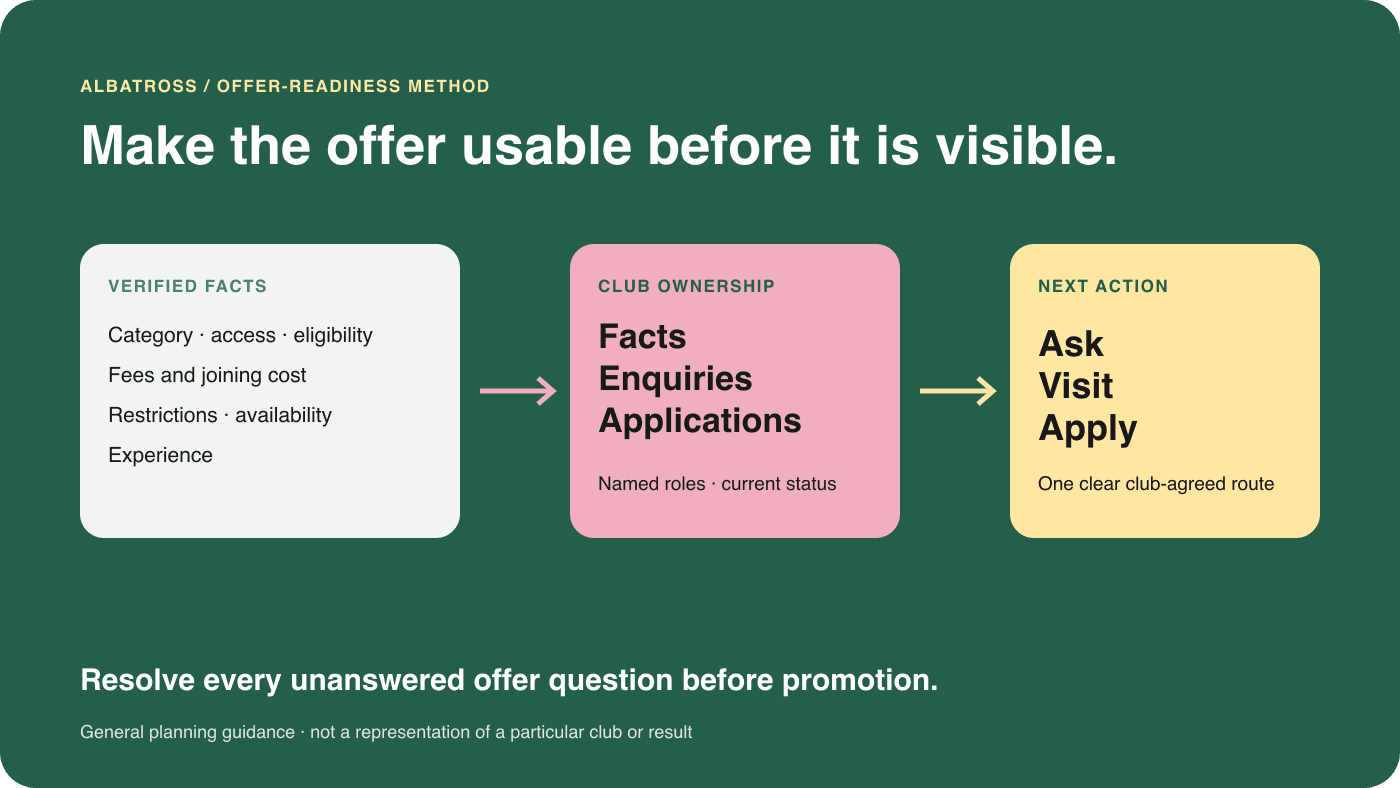
Make the offer usable before you make it visible.
A membership campaign cannot repair an offer that the club has not finished explaining. Before promotion, a prospective member should be able to identify the category, understand the access it provides, check whether they are eligible, see the relevant cost and restrictions, and know what to do next.
The internal team needs the same clarity. Someone must own the facts, availability, enquiries, visits and application route. Without those responsibilities, an advert may create attention while the page and staff response give different answers.
Copyable offer register
Complete these nine fields for every promoted category.
Copy this register into the club's working document. Fill it from approved current information and give unresolved items an owner. A blank field is a question the club must resolve before promotion, not wording for a supplier to guess.
Category
Use the club's approved category name and explain who it is intended for. Do not merge categories with different rights or requirements.
Access
State when and how the member may use the course and relevant facilities, including any booking process that materially affects the offer.
Eligibility
Record age, location, handicap, existing-membership or other qualifying rules only as the club currently applies them.
Fees and joining cost
Give the current subscription and every applicable joining, affiliation or mandatory cost, or explain exactly where the confirmed total is provided.
Restrictions
Name material limits, exclusions, waiting periods or conditions before someone is asked to apply.
Availability
Confirm whether applications are open, limited, wait-listed or subject to review, and name who keeps that status current.
Experience
Explain the parts of the course, clubhouse, competitions, community or support that make the category relevant, using approved evidence.
Next action
Choose one useful next step: ask a question, arrange a visit, begin an application or another club-agreed action.
Staff ownership
Name the role responsible for facts, enquiries, visits, applications and changes to the published offer.
Clearly fictional comparison
From an incomplete offer to a promotion-ready brief.
Hawthorn Mere Golf Club and its Flexible Weekday category are fictional. No price, rule, availability statement or outcome below belongs to a real club.
On a smaller screen, scroll across the table to compare the examples.
| Offer field | Incomplete version | Ready version |
|---|---|---|
| Category and access | “Flexible membership now available.” | “Flexible Weekday Membership” is the approved category name. In this fictional example, it includes course access Monday to Friday through the club's normal booking route. Weekend and bank-holiday play are excluded. |
| Eligibility and restrictions | “Perfect for local golfers.” | The fictional page names the club's approved eligibility rule, explains that applications are reviewed and tells applicants that competition access is limited to the weekday programme. |
| Fees and availability | “Great value. Limited places.” | The club records the current subscription, all applicable joining and mandatory costs, the date checked and who confirms availability. Promotion pauses if that record is no longer current. |
| Experience and next action | “Join today.” | The page explains the weekday golf and club experience, then invites the golfer to book a membership conversation with the membership coordinator before starting an application. |
| Staff ownership | No named route after a form submission. | The membership manager owns facts and applications; the membership coordinator owns new enquiries and visits; the marketing lead owns the published page and campaign handover. |
“Ready” means ready for the club's approval process. It does not promise demand, applications or new members. Those outcomes require separate measures after release.
Keep the facts fixed; adapt the explanation.
Different audiences may need different context around the same approved offer. A current member considering a category change, a returning golfer and an independent golfer exploring club membership will not begin with the same knowledge. Their questions, hesitations and useful next action may differ.
Do not create a different version of the rules for each audience. Keep one authoritative offer register, then choose which approved facts and experience cues each page, email or advert needs. For audience-specific planning, read our guide to marketing golf club membership to iGolfers.
Check the offer immediately before promotion.
- The category name, access and eligibility match current club policy.
- All fees and mandatory joining costs have an owner and checked date.
- Restrictions and availability are clear enough for a person to self-assess.
- The experience claims use approved, current evidence.
- The next action fits the club's real enquiry, visit and application process.
- Staff know who owns each response and when promotion must pause.
Campaigns by Albatross
Turn an approved membership offer into a clear reason to act.
Albatross can help shape the message, audience, creative and next step around the membership opportunity your club has agreed.