Capture overview

Capture / Concierge

A helpful answer.
A warmer welcome.

Capture Concierge helps prospective members, visitors and customers get a useful answer through web chat, web voice or telephone. It works from approved club information, captures relevant details and follows the handover route agreed with your team.

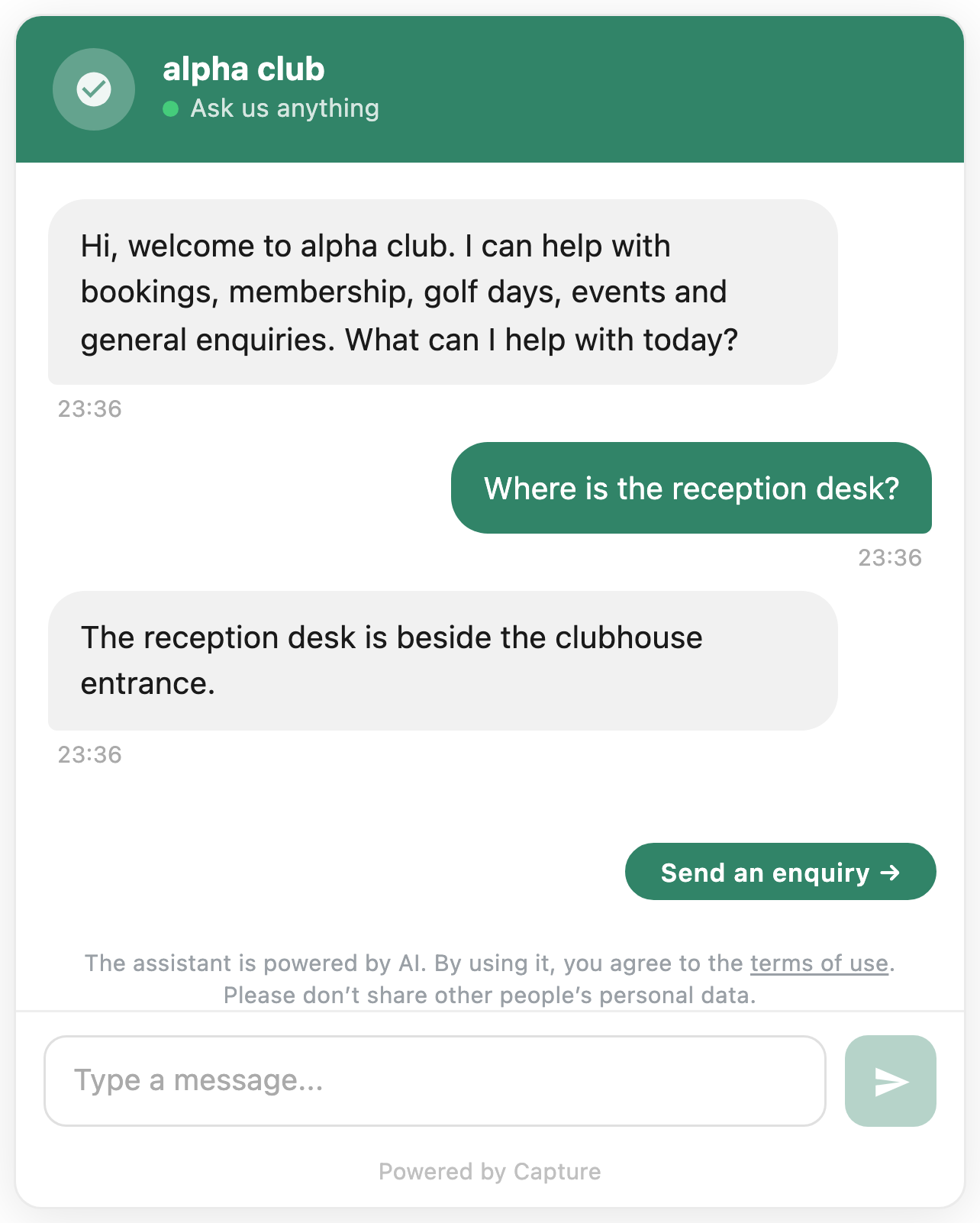
Capture Concierge: a conversation becomes a visit requestFictional example club, Kestrel Vale. Illustrative interface, not a live product screenshot. Concierge Kestrel Vale · Web chat Live Can I visit before joining? KESTREL VALEOf course. What dayworks for you? Saturday morning, if that works. KESTREL VALEI can pass your preferred timeto the membership team. Request a visitAsk something else Type your message… ENQUIRY CAPTURED Alex Morgan INTERESTMembership PREFERRED VISITSaturday 10:00Being agreed SOURCEWeb chat, kestrelvale.co.uk Sent to CRMIn conversation WHAT HAPPENS NEXT Alex's request goes to themembership team with theconversation attached, sothe follow-up starts warm.
Example conversation.

The job it does

Help people while
they are interested.

Someone considering membership may want to understand the joining process after the office has closed. A visitor may need to check a policy before booking. An event organiser may want to know whether the venue fits before making an enquiry.

Concierge handles that useful first exchange from the club's knowledge base. When a question needs judgement or the person wants to speak to the club, it brings the team into the conversation with the relevant context.

A complete exchange

Helpful first. Human when it matters.

A membership question becomes an approved answer, useful context and a clear task for the club team. The live Tehidy placement below shows Concierge on a club website.

Example conversation

Prospective member · 19:42Do you have a membership for someone who can mainly play at weekends?

Concierge · approved club informationThe club publishes several membership categories. Weekend access and availability can depend on the category, so I can explain the published options and ask the membership team to confirm the best fit.

Prospective memberYes please. I’m 34 and would like to play most Saturdays.

How Concierge helps

Give your team
a clearer way to work.

01

Answers grounded in your club.

Build the knowledge base around information you control: your offer, facilities, policies and the questions people regularly ask. Review unanswered questions and update the source information as the club changes.

02

Enquiries with context.

Recognise what someone wants to do, collect the relevant details and route the enquiry into the agreed workflow. Your team can pick up the conversation with its history available.

03

A person when it matters.

Agree where Concierge should hand over, what it should avoid answering and who receives the next step. Clear boundaries are part of the setup.

A supported conversation

From a question to the right next step.

This example follows one enquiry from its first question to a useful team handover.

The live Tehidy Park Golf Club website with Capture Concierge open over the visitor information page.
Tehidy Park Golf Club website · Live Concierge shown in context.

Step 1 of 4

Start in the channel that fits the enquiry.

Concierge can be configured for website chat, website voice or telephone. The club chooses which channels are in scope and what each should help with.

Useful in practice

Three jobs worth making easier.

Concierge is most useful when the first answer is specific, the limits are clear and the handover matches the club's real process.

01

A prospective member after hours

Explain the published joining route and relevant category information, then capture the person's interests and preferred contact details for the membership team.

Useful result · a warmer membership enquiry with context.
02

A visitor checking before booking

Answer an approved question about dress, facilities or visitor arrangements and direct the person to the correct booking route. The booking remains with the booking system.

Useful result · the visitor reaches the correct next step.
03

An event organiser comparing venues

Cover the agreed venue basics, collect date, numbers and requirements, then pass the conversation to the events team when a tailored response is needed.

Useful result · a structured brief for human follow-up.

Configured around your club

Choose the experience
your club needs.

Website chat, website voice and telephone options are configured around the package and workflow you agree. We check your source information, common questions and handover routes before launch.

  1. Approved club information
  2. Configured channels
  3. A clear team handover

Before we begin

A few useful
answers.

Can it book tee times?

Booking actions depend on the club system and verified integration support. Where a booking cannot be completed directly, Concierge can provide the correct booking link, answer questions and capture intent for follow-up. A booking is only confirmed when the booking system has accepted it.

Can it use our existing club information?

Yes. Setup uses an agreed knowledge base and a process for keeping that information current. We review what can be answered and when a person should take over.

Does it connect with Capture CRM?

CRM synchronisation and enquiry routing are supported capabilities. Fields, ownership and follow-up are configured for the workflow agreed with your club.

Let's talk about your club

Which questions take up
your team's time?

Show us the enquiries you receive and where you need better coverage. We'll discuss the channels, knowledge and handover that would help.

Albatross

Request a Club Growth Review

Tell us about the club and what you would like to grow. We will come back with where the opportunity is.

We use your details to respond to your enquiry. Read our privacy policy.

Your choice

Analytics preferences

Optional analytics is currently off. This preference controls Google Analytics only. Allow applies while you browse this tab. Reloading or opening a new tab asks again.

No analytics can be remembered on this device for up to 180 days to suppress the prompt. Choose No analytics at any time to stop further measurement.