
Capture / Email Studio
Branded emails.
Made for your club.
Create emails that sound like your club. Capture Email Studio turns a short brief into a branded draft for club newsletters, visitor offers and event invitations. Review, refine and export to your configured email platform.
Talk to us about access and onboarding.
The job it does
Start with what
you want to say.
A visitor offer, club update or event invitation needs a clear message and the right presentation. Email Studio brings the brief, club identity and content blocks into one drafting workflow.
How Email Studio helps
Give your team
a clearer way to work.
01Give it a useful brief.
Describe the audience, message and next step. AI-assisted copy provides a starting point for you to review and refine.
02Keep the club recognisable.
Use your club's brand kit, imagery and structured content blocks to build the email. The design system keeps the layout consistent as the content changes.
03Review before it leaves.
Check the wording, images, links and draft output, then export to the configured sending environment. People remain responsible for approval, audience selection and the send.
The club email in context
Your message.
Your club's identity.
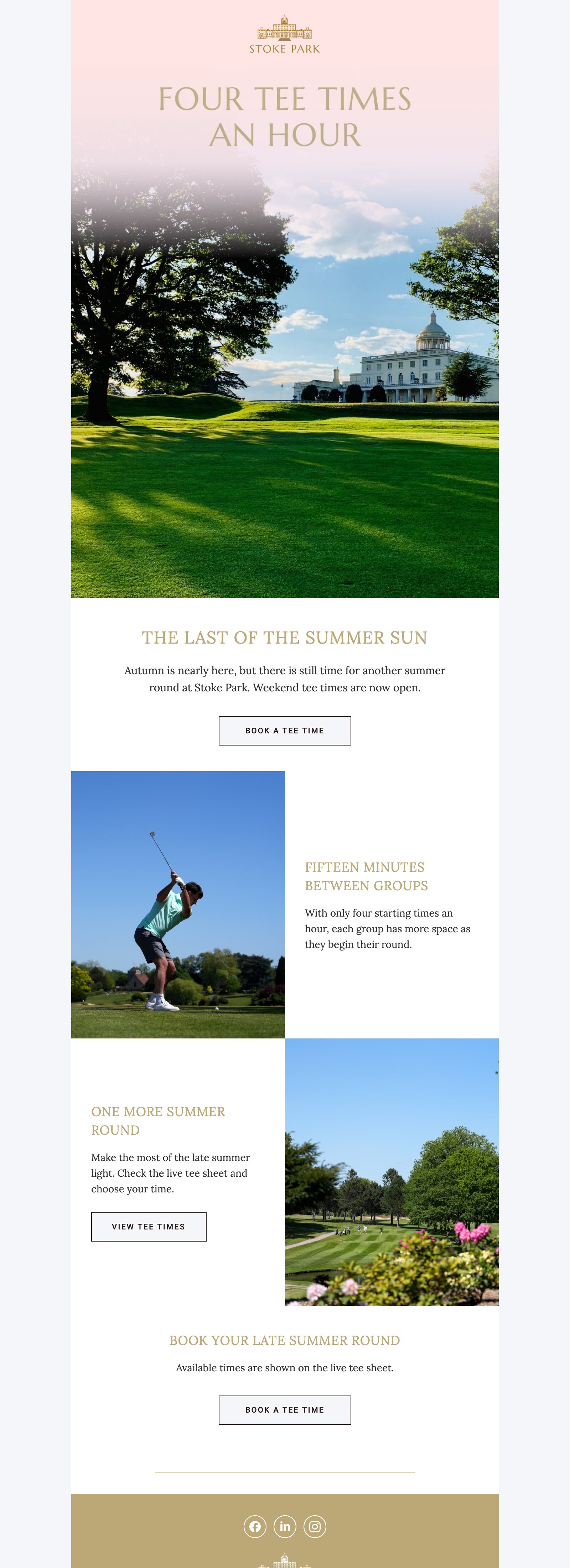
An existing Stoke Park email draft shows the kind of club imagery and branded content that belongs in the finished email. This saved draft is presented as an example, without a campaign-results claim.
- Brief
- Brand and content
- Review and export
Agency support
Need help planning
the campaign too?
Email Studio helps create, review and export the email. If you need support with the audience, offer, campaign plan or delivery, discuss a separately scoped Albatross campaign.
Explore golf club email marketing ↗Before we begin
A few useful
answers.
What emails can a golf club create with Email Studio?
Golf clubs can draft member newsletters, visitor offers, event invitations and follow-up messages. Start with the audience, a clear message and one next step, then review the content and export it to your configured email platform.
Does Email Studio send the emails?
It is a creation and export capability, not a separate sending platform. The sending environment and its configuration are agreed as part of your setup.
Does it replace campaign planning?
No. The audience, offer and purpose still need to be right. Albatross can support campaign strategy, writing, production and ongoing optimisation as separately agreed services.
Can we edit the draft?
Yes. The workflow is built around reviewing and refining the draft before export. Access, onboarding and the supported club workflow need to be confirmed for your implementation.
Let's talk about your club
What does your club
need to say next?
Tell us about the emails you create and the platform you use. We'll discuss whether Email Studio fits your workflow and the support you need.